
UTM
How to set up Ombra with UTM on an Apple Silicon Mac
· 8 min read
In short: Ombra runs as two virtual machines on an Apple Silicon Mac, and UTM can run both. Download the gateway and desktop UTM archives, check them against the published checksums, unzip them, double-click each .utm file to add it to UTM, start the gateway first and then the desktop, and set your disk passphrase and password on first use. You need UTM 5.0.8 or newer, about 45 GB of free disk and roughly twenty minutes.
This guide covers the UTM route. If you use VMware Fusion instead, follow Set up Ombra with VMware Fusion. Both routes give you the same two machines, built from the same disk image; only the wrapper around it differs.
What you need
- A Mac with Apple Silicon (M1 or newer). Ombra is built for arm64 and does not run on Intel Macs.
- UTM 5.0.8 or newer (get it from mac.getutm.app; Step 1 walks through it). Ombra uses UTM's QEMU backend, not the Apple Virtualization backend.
- About 45 GB of free disk. The downloads are about 7 GB for the desktop and 0.7 GB for the gateway, and you need room for the archives plus the unzipped copies until you delete the archives. The virtual disks are 5 GB (gateway) and 30 GB (desktop), and the desktop disk grows to its full size during first-use setup, so keep the space free until setup finishes.
- A passphrase you will remember. It unlocks the desktop's encrypted disk every time you start it, and it cannot be recovered if you forget it.
Step 1: Install UTM
If UTM is already installed and is version 5.0.8 or newer, skip to Step 2.
- Open the official UTM site at mac.getutm.app. Its documentation lists the ways to install: the Mac App Store or a download from GitHub. UTM's own documentation says the two builds are the same; see its macOS installation page.
- If you use GitHub, download
UTM.dmgfrom the latest release, open it, and drag UTM into your Applications folder. - Open UTM once. Choose UTM → About UTM and check that the version is 5.0.8 or newer. If it is older, update it.
You do not need to create a VM in UTM yourself: the Ombra archives import ready-made machines.
Step 2: Download the archives
Go to the install page and, in the UTM section, download the Gateway and Desktop archives. Also download SHA256SUMS.txt into the same folder. The files are named like this:
ombra-gateway-arm64-v1.1.0.utm.zip
ombra-desktop-arm64-v1.1.0.utm.zip
SHA256SUMS.txt
Use the UTM pair together. Do not mix a UTM archive with a VMware Fusion one.
Step 3: Verify the downloads
Open Terminal, change to the folder that holds the downloads, and run:
shasum -a 256 -c SHA256SUMS.txt --ignore-missing
Every file you downloaded must report OK. If any line says FAILED, delete that file and download it again. Do not open an archive that fails the check.
Step 4: Unzip and add the VMs to UTM
Double-click each zip in Finder to unpack it, or run this in a terminal:
ditto -x -k ombra-gateway-arm64-v1.1.0.utm.zip .
ditto -x -k ombra-desktop-arm64-v1.1.0.utm.zip .
Each one produces a .utm file. Double-click each to add it to UTM. Nothing needs changing in the VM settings: the shipped configuration already has the network layout and the protections Ombra relies on, so leave them as they are. Import each archive once. A second import of the same archive creates a second VM with the same network addresses, which breaks both until one is deleted.
Step 5: Start the gateway first
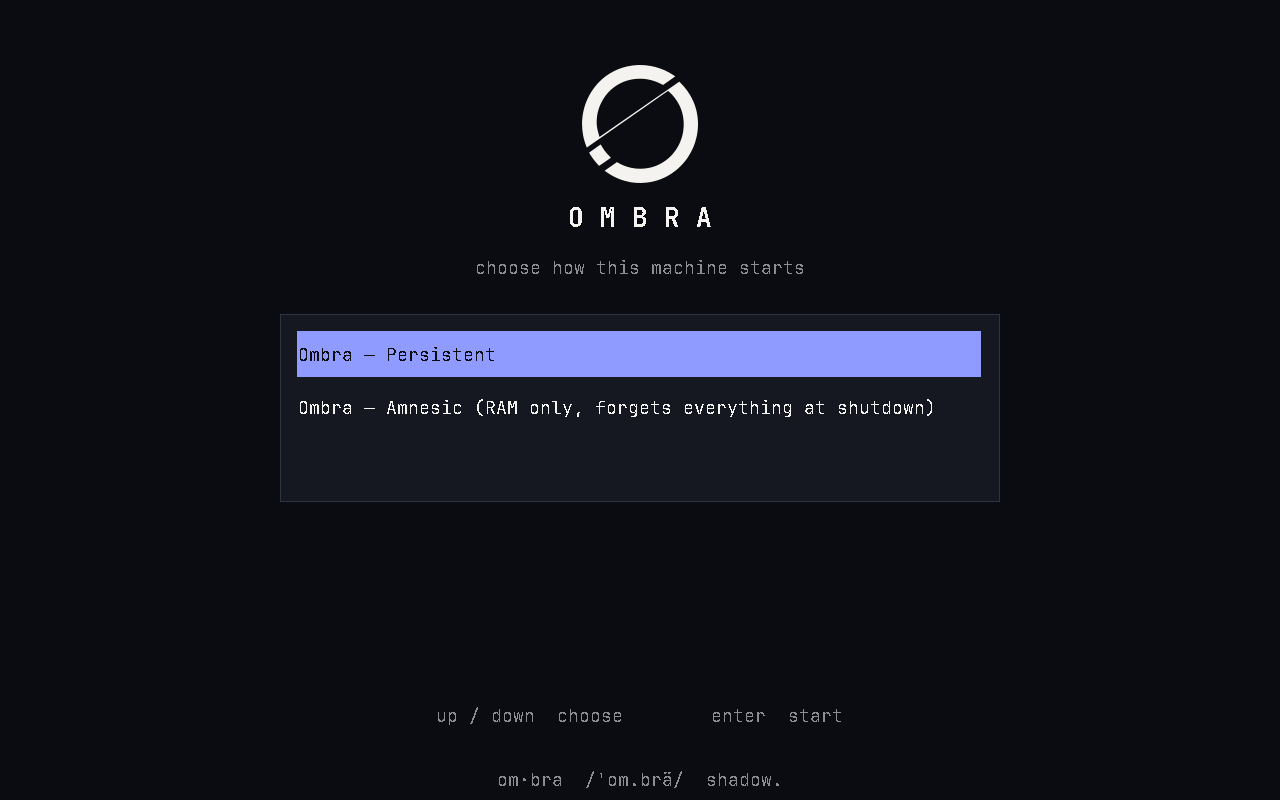
Start the gateway. It shows an Ombra boot menu with two entries and waits for your choice; nothing starts on its own.
- Amnesic runs the system from RAM. Everything written since power-on, including Tor state and your files, is gone at shutdown. The gateway highlights this first.
- Persistent writes to the disk normally. Updates need Persistent mode.
Pick a boot mode and wait until the gateway console shows its health report. The gateway is a headless Tor router with no login or setup screen of its own. Both VMs sit on UTM's host-only network, and the gateway's upstream connection uses UTM's Shared Network.
Step 6: Start the desktop and pick Persistent
Start the desktop once the gateway is up. At the boot menu choose Persistent. First-time setup only runs in Persistent mode; in Amnesic mode the first-use screen just asks you to restart in Persistent.
Step 7: First-use setup
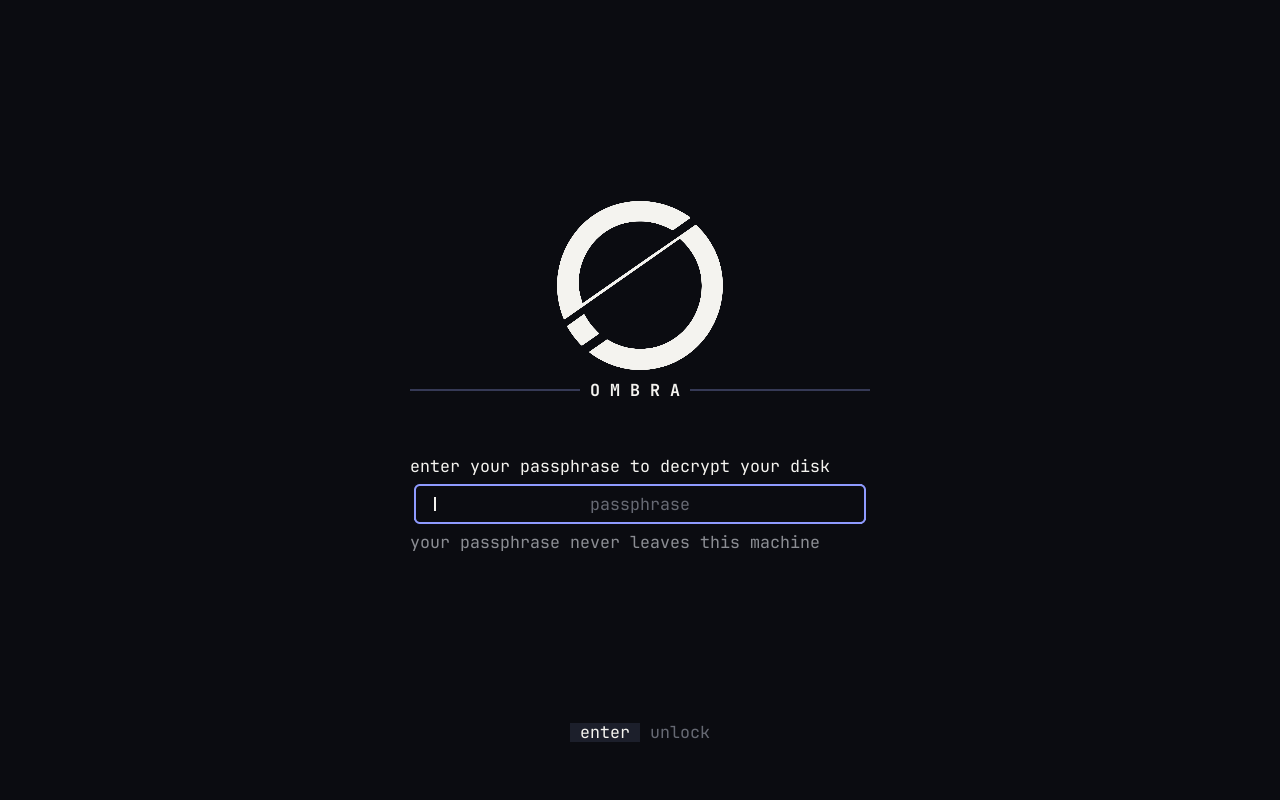
The disk unlock first accepts a public build passphrase. That is intentional: it only ever opens a machine that has not been set up yet. The first-use screen then takes over:
- Choose your real disk passphrase.
- Choose your user password.
- Wait while Ombra re-encrypts the whole disk under a new key. This takes a few minutes on the 30 GB disk. Do not power off or restart during it. If it is interrupted, the next boot shows a Resume screen that asks for your passphrase and finishes the job.
When the disk is sealed the machine restarts, and the restart works: it comes back to the unlock screen. From then on you unlock it with your own passphrase and log in with your user password. Neither machine has a default login password.
Step 8: Check that you are on Tor
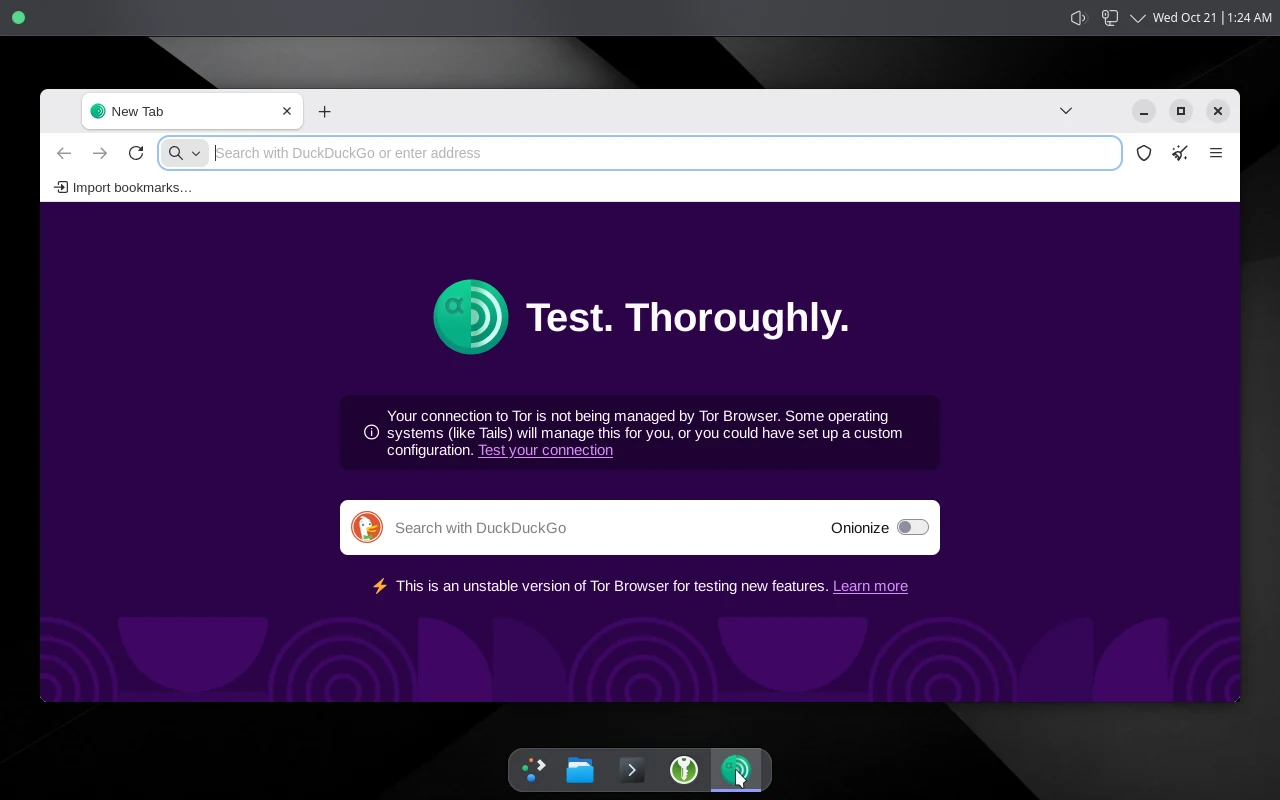
Open Tor Browser on the desktop. The desktop has a single network connection and its only peer is the gateway, so everything it does online goes through Tor. If the gateway or Tor goes down, the desktop loses its network instead of leaking.
How UTM differs from VMware Fusion
| Topic | On UTM |
|---|---|
| Window size | The desktop follows the UTM window when you resize it. Leave Retina mode off. To make resizing reliable, the desktop turns off its window compositor on UTM, so there are no window shadows, translucency or animations. VMware Fusion keeps them. |
| Display card | The display uses virtio-gpu-pci on purpose. Typing was slower with the GPU-accelerated cards in testing, and those cards give the guest access to the Mac's graphics stack. |
| Restart | The shipped configuration runs the interrupt controller inside QEMU (-machine kernel-irqchip=off). Without it, a restart from inside the guest hangs on UTM 5.0.8. Do not remove it. The price is about 15% of one Mac core while the VM is idle. |
| Host channels | Clipboard sharing, shared folders, USB sharing and serial ports are off. Leave them off: turning clipboard sharing on lets the Mac read and write the guest clipboard. |
| Guest tools | qemu-guest-agent answers only ping, sync and info, and spice-vdagent handles window-size changes. |
| Not available | The Mac Shared Folder transfer disk is a Fusion feature and is not supported on UTM. |
Everyday use
- Start the gateway first, then the desktop, every time.
- Updates arrive in place and only when you ask: open Update Ombra from the desktop menu. Both machines check a small signed index through Tor, and updates need Persistent mode.
- Only the latest release is supported. Version 1.1 and later update in place.
What Ombra does and does not protect
Ombra keeps your network identity from depending on the desktop software behaving correctly, and it protects data on the disk if someone gets the disk without your passphrase. It does not protect you from a compromised Mac: malware on macOS can read the VM's memory and keystrokes. UTM and the QEMU it runs are part of what you trust, so download UTM from its official source and keep it current. Read the threat model before you rely on it.
FAQ
Which version of UTM does Ombra need?
UTM 5.0.8 or newer, using the QEMU backend. Ombra does not use the Apple Virtualization backend.
Does Ombra run on an Intel Mac?
No. Ombra is built for arm64 and needs an Apple Silicon Mac.
Why does the desktop have no window shadows or animations on UTM?
On UTM the guest has no GPU, so its desktop would draw effects in software. That made the screen stall for many seconds, or never repaint, when the window was resized. Turning the compositor off makes a resize repaint in about two seconds. VMware Fusion keeps the effects.
Why does the VM use some CPU when it is idle?
The interrupt controller runs inside QEMU so that restarting the guest works on UTM 5.0.8. That costs about 15% of one Mac core while the VM is idle. Do not remove the setting.
Can I turn on the clipboard or a shared folder?
Leave them off. They are off in the shipped configuration so that the Mac cannot read or write the guest. Turning clipboard sharing on lets the Mac read and write the guest clipboard.
Which VM do I start first?
The gateway. It is the desktop's only route to the network, so start it, let it reach its health report, and then start the desktop.